Magellan AI Dashboard
With the Magellan AI dashboard's feature growth over the past 8 years, there was an ongoing need to rebuild the app interface to create a more consistent UI language, optimize for client usability, and improve overall experience.
Working with the product team and user feedback notes, I leveraged the design language I established with the marketing website to unify our dashboard features and modules. The result is a flexible interface that puts high-demand functions in close reach, while organizing data to maximize readability and streamline analysis.
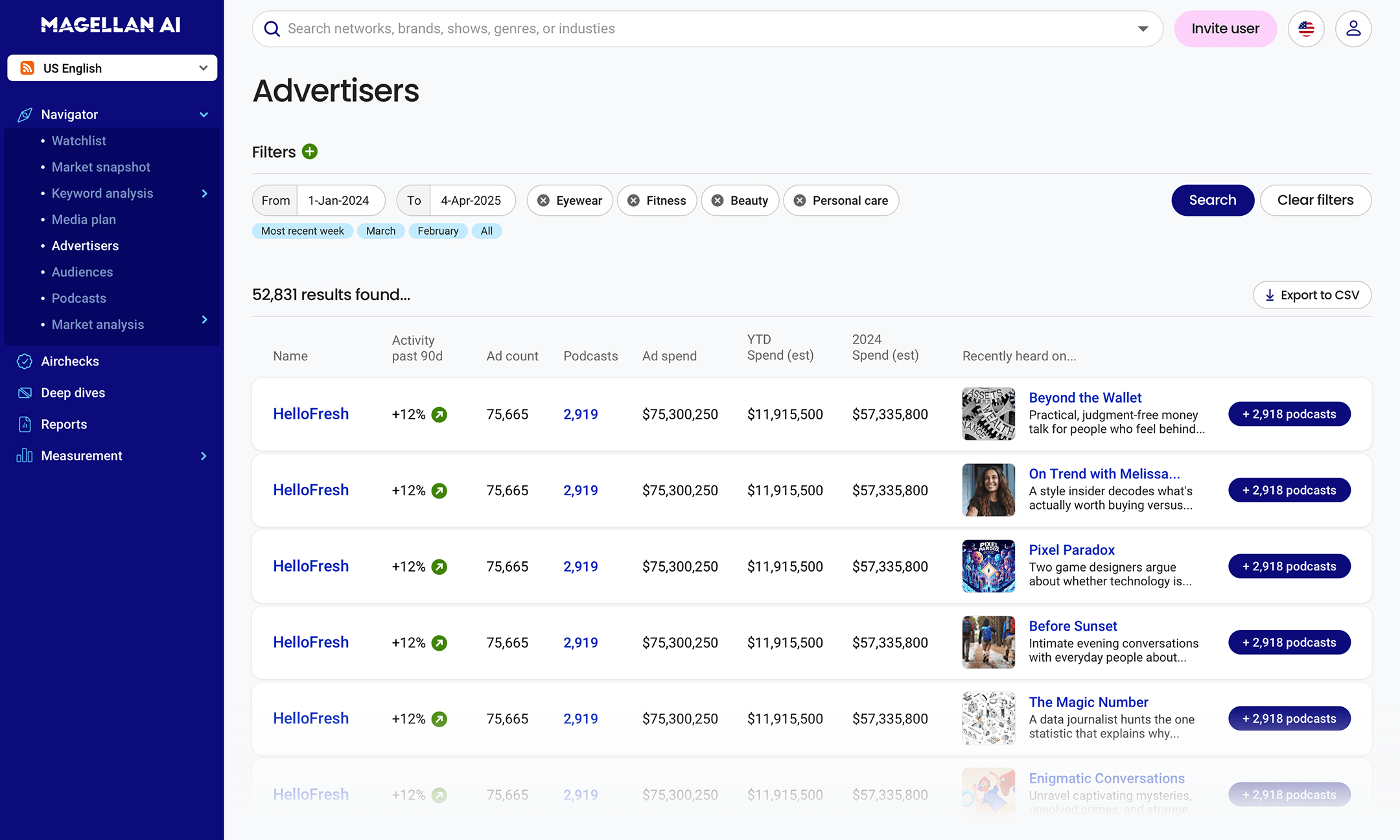
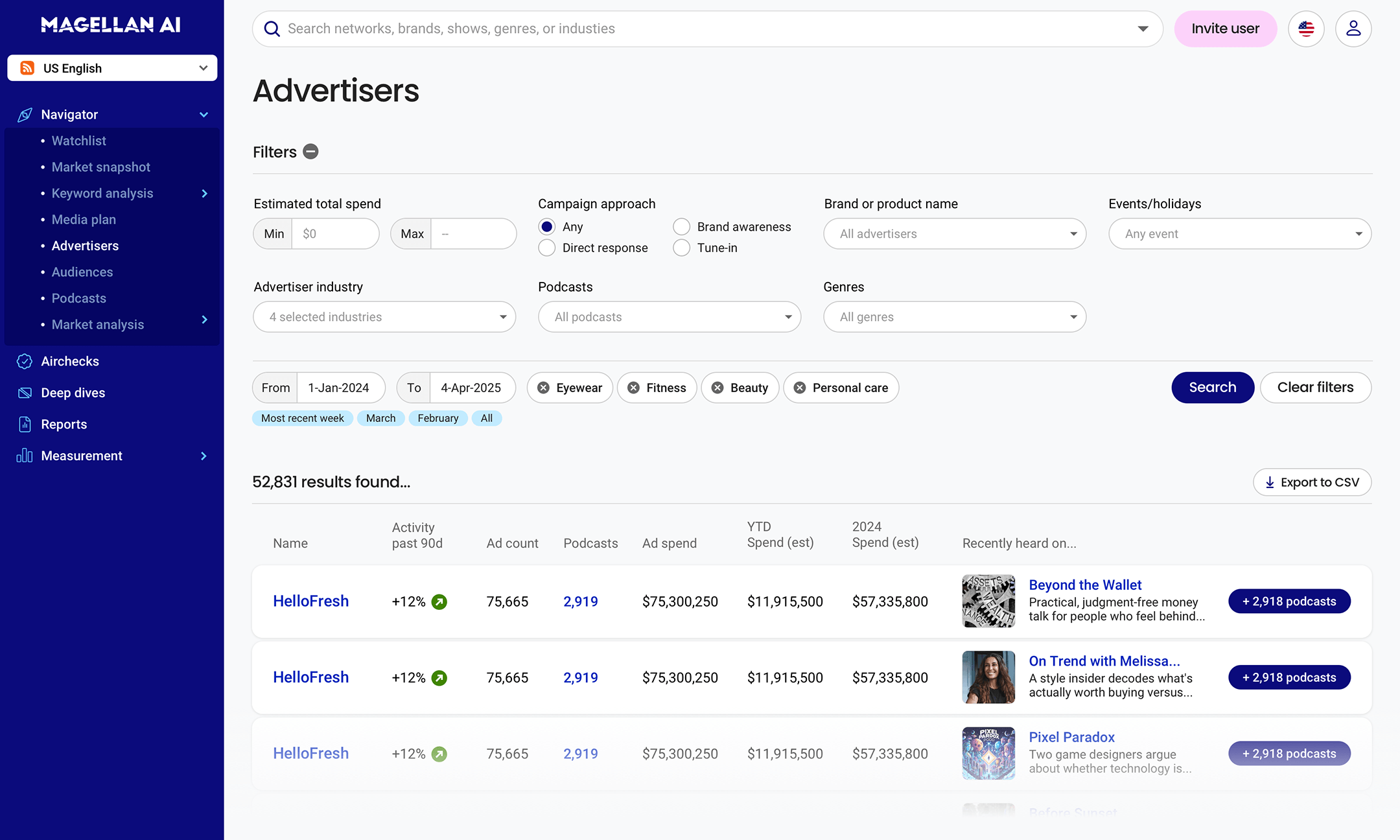
Advertiser Search
The Advertiser search page is a core element of the Magellan AI platform. It is a gateway to all of the platform's advertiser data, spanning over 50,000 brands and includes spend and ad placement data going back to up to 8 years prior. By featuring search filters at the top of the page and surfacing key information in the results table, I gave users immediate feedback on how to get to the data they need as quickly as possible.
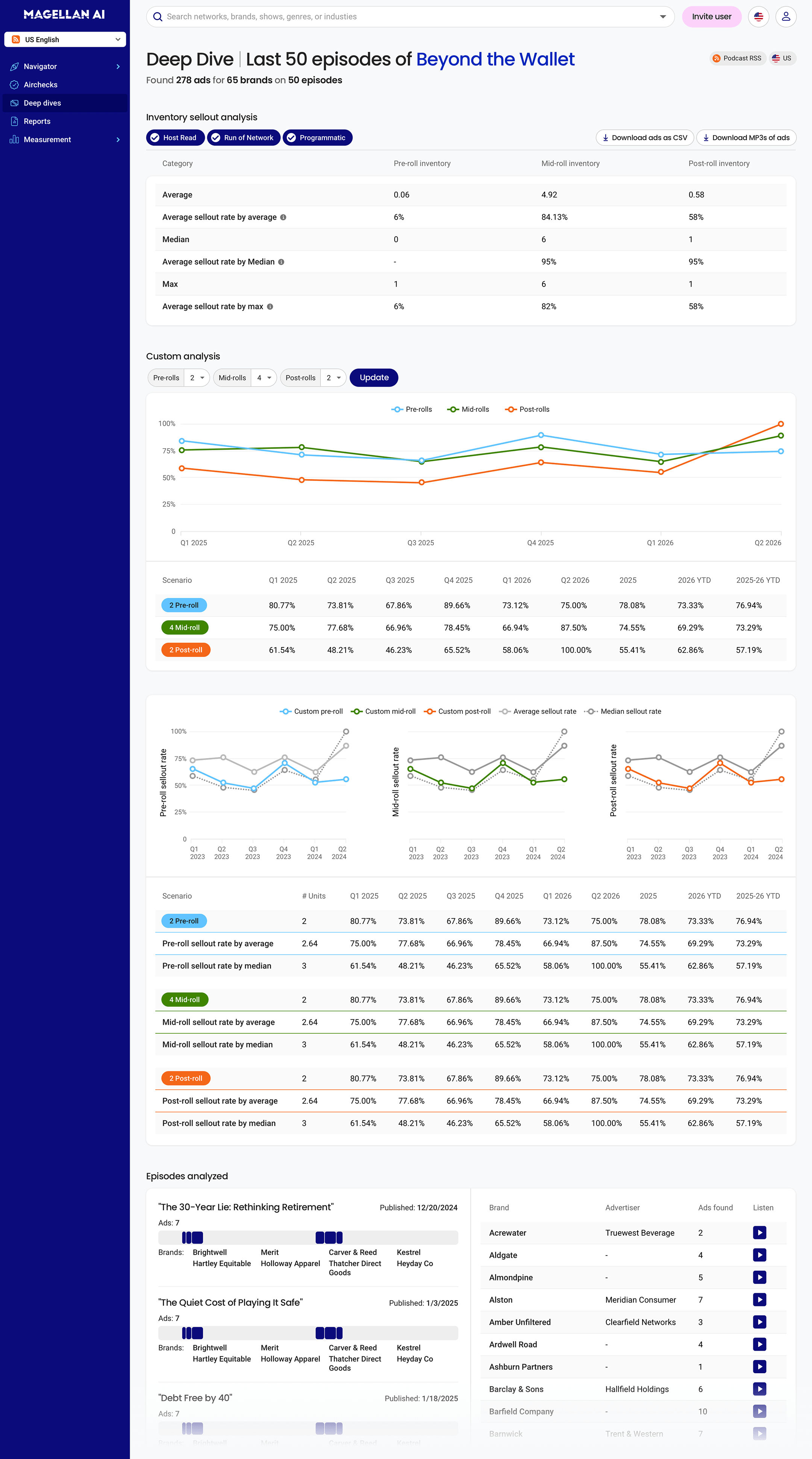
Deep Dive
Deep Dives provide publisher clients with a comprehensive analysis of a target podcast's ad placement history for hard data on advertisers, ad positions, fill rates, sales, and more. Sold as a premium add-on, the goal for this dashboard view is to surface as much data as possible as cleanly as possible, in order to give publisher clients all of the insight they need to pursue acquisition targets with confidence.
Airchecks
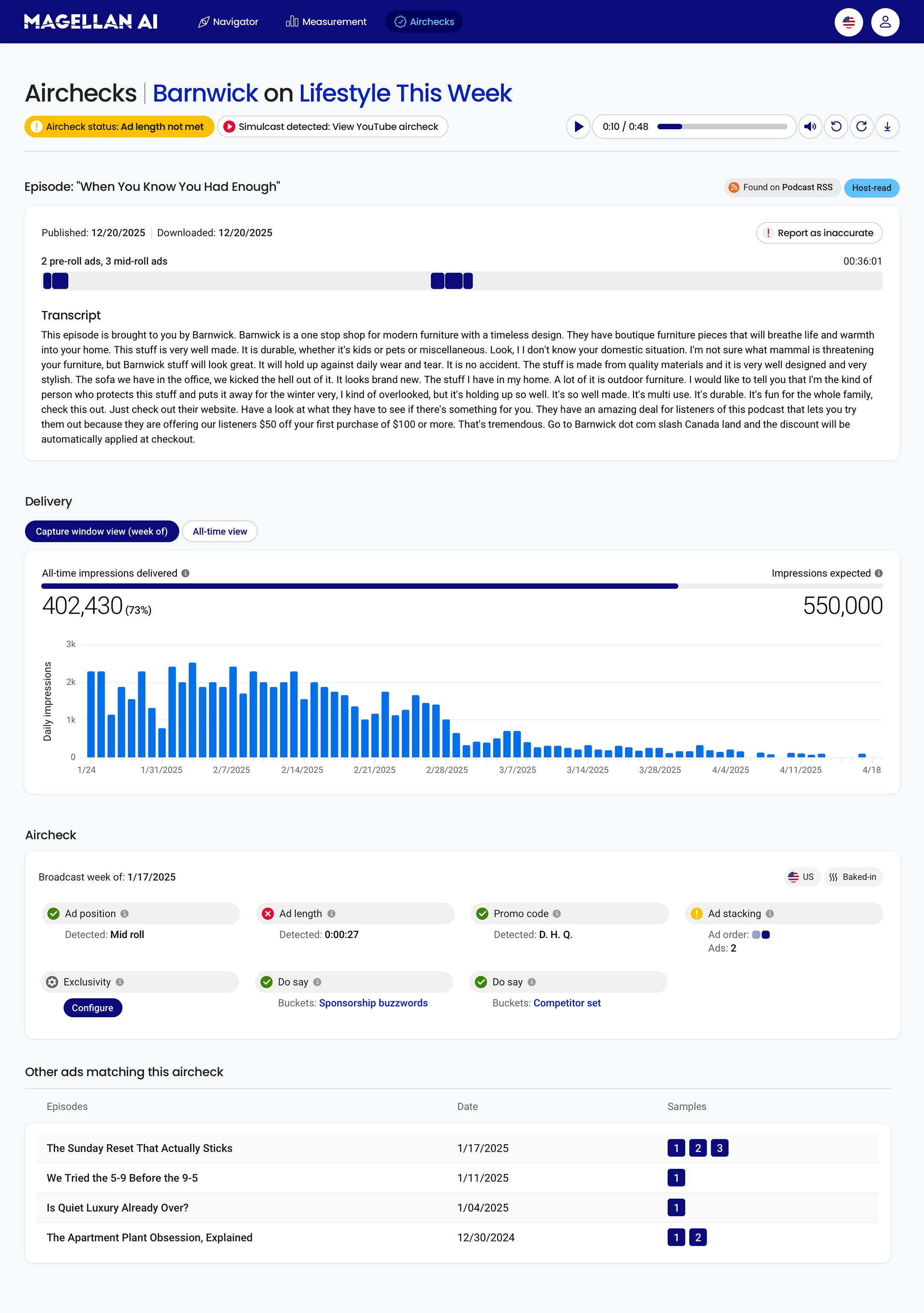
Airchecks is an ad verification feature that monitors clients' ad placements across every podcast episode that they appear on. Taking continuous daily samples of every show in their media plan, it automates confirmation of ad length, position, promo code reads, blocklist keywords, and more.
Initially designed as a table view by episode and date, there was a growing customer demand for a single aircheck (line item) view. The resulting layout provides a complete summary of an individual ad placement including transcript of the live read and delivery pacing.
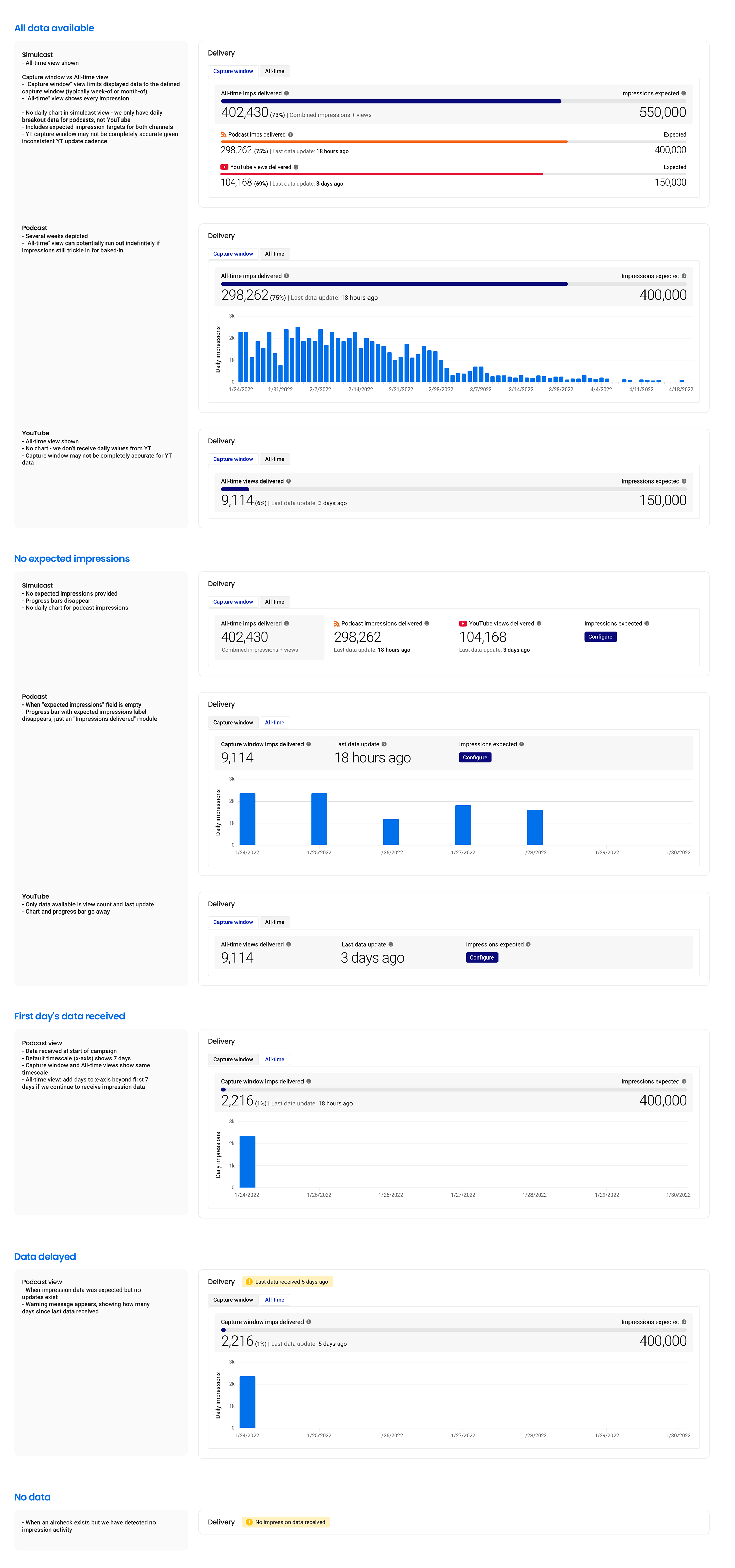
The component state sheet provides the engineering team with treatment breakouts for airchecks with all data, partial data, no data, and delayed delivery.
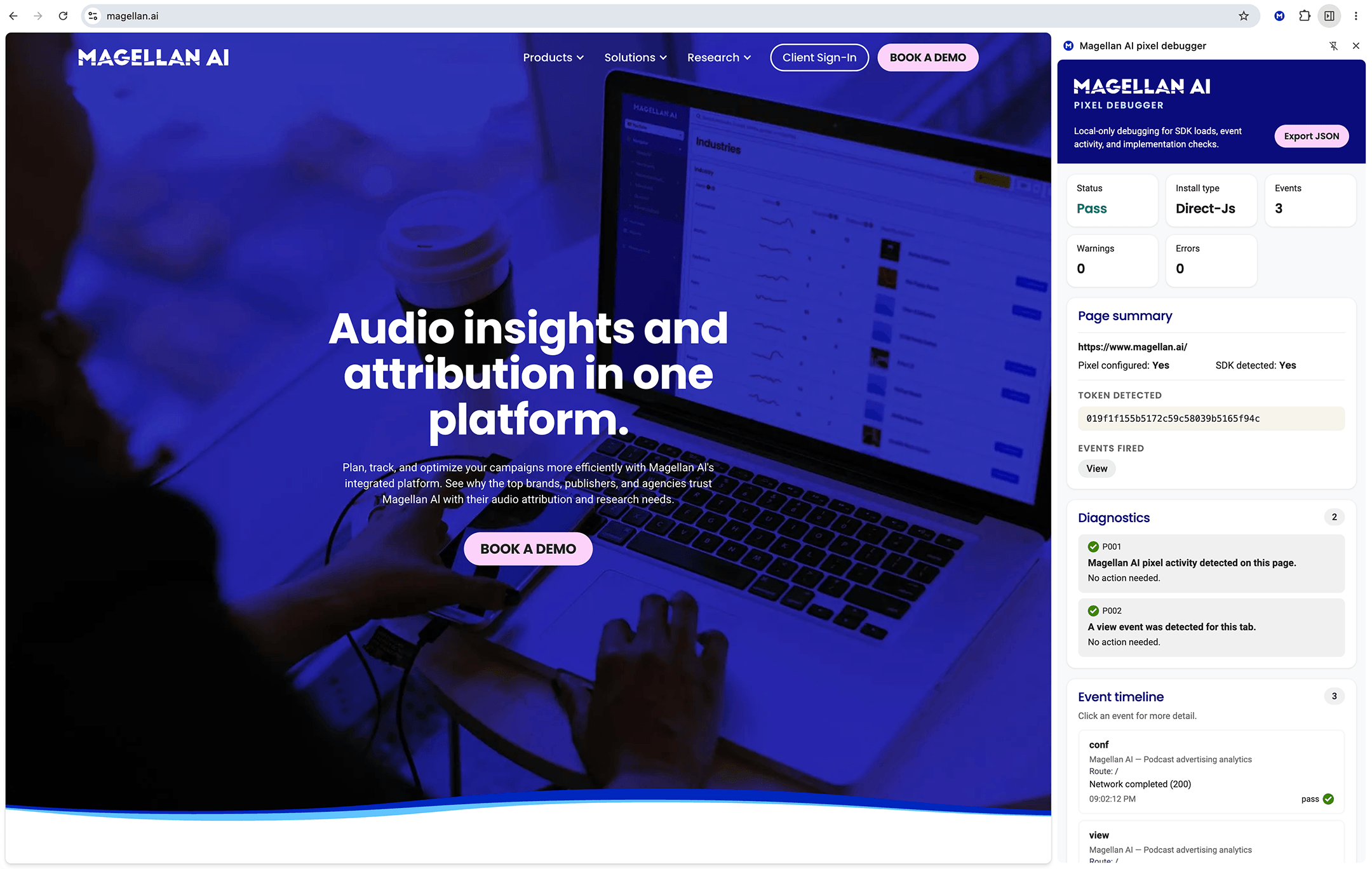
Pixel Builder and Chrome debugger
Starting as a small side project to streamline client integration with our javascript tag, this grew into a major feature for the measurement team to onboard and troubleshoot integration issues with clients.
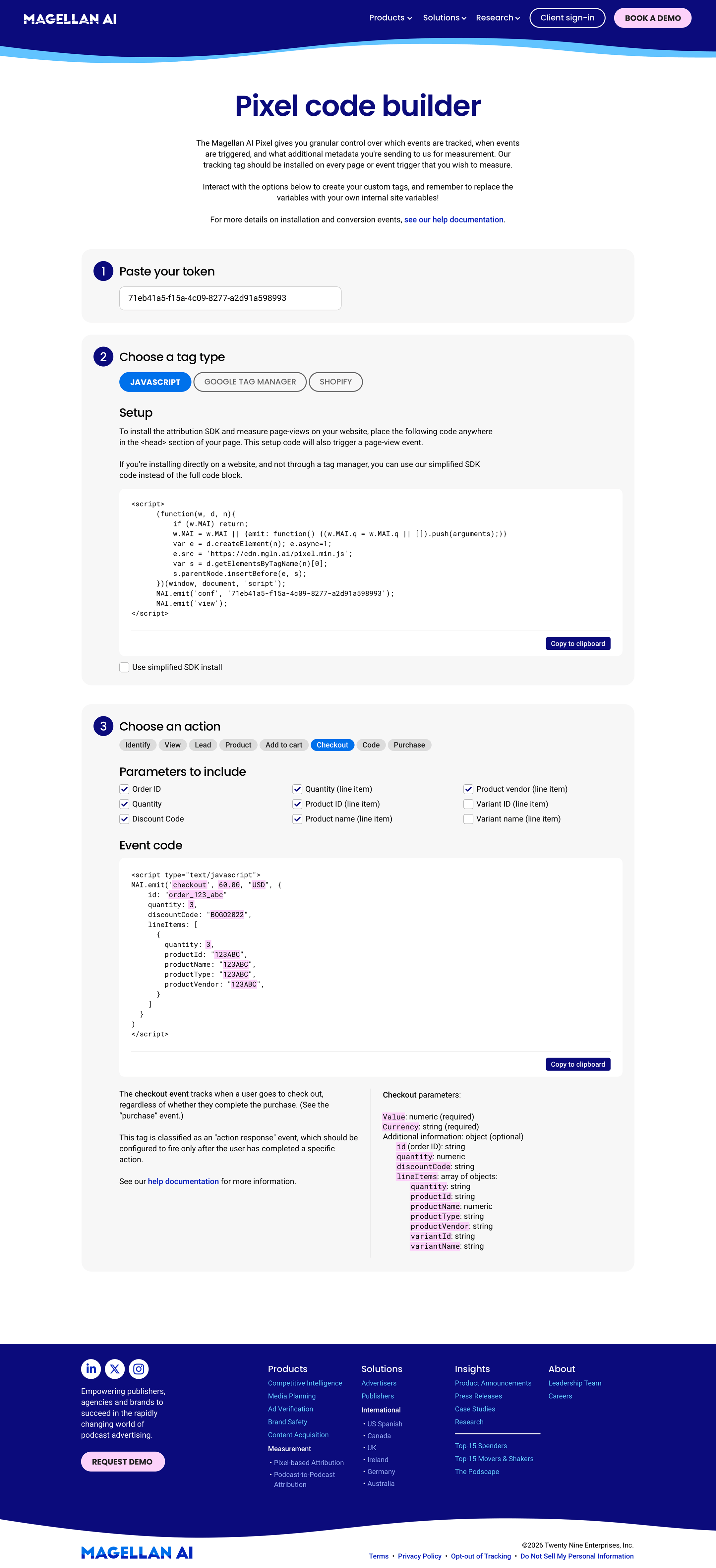
The Pixel Generator takes an assigned token (hex string) and provides a tidy interface for clients to choose which kind of integration, events, and parameters that they want to track with Magellan AI. I built the frontend in Webflow to maintain design language and responsiveness. I built the underlying JS with Codex, affording us an immediate MVP and scalability to extend to additional tag types (GTM, Shopify) and event parameters. Clients may self-serve to build a valid embed script, or the measurement team can set it up on their behalf and share a pre-built link (via querystring params).
Chrome Extension: The Pixel Debugger is a companion Chrome extension that displays Magellan AI integration events and issues. I built the extension through Codex as a Node application, and ultimately fleshed it out to report on a multitude of integration issues including duplicate event calls, multiple tokens, event timeouts, missing default events (i.e. pageview), and misconfigured parameters. There is an event inspector to view network activity and payload, as well as a JSON export for clients to send debug reports to our support team.
This tool was enthusiastically received by both internal teams and clients, helping to quickly pinpoint implementation issues and save time.